DevMuse studio project / Interactive 3D
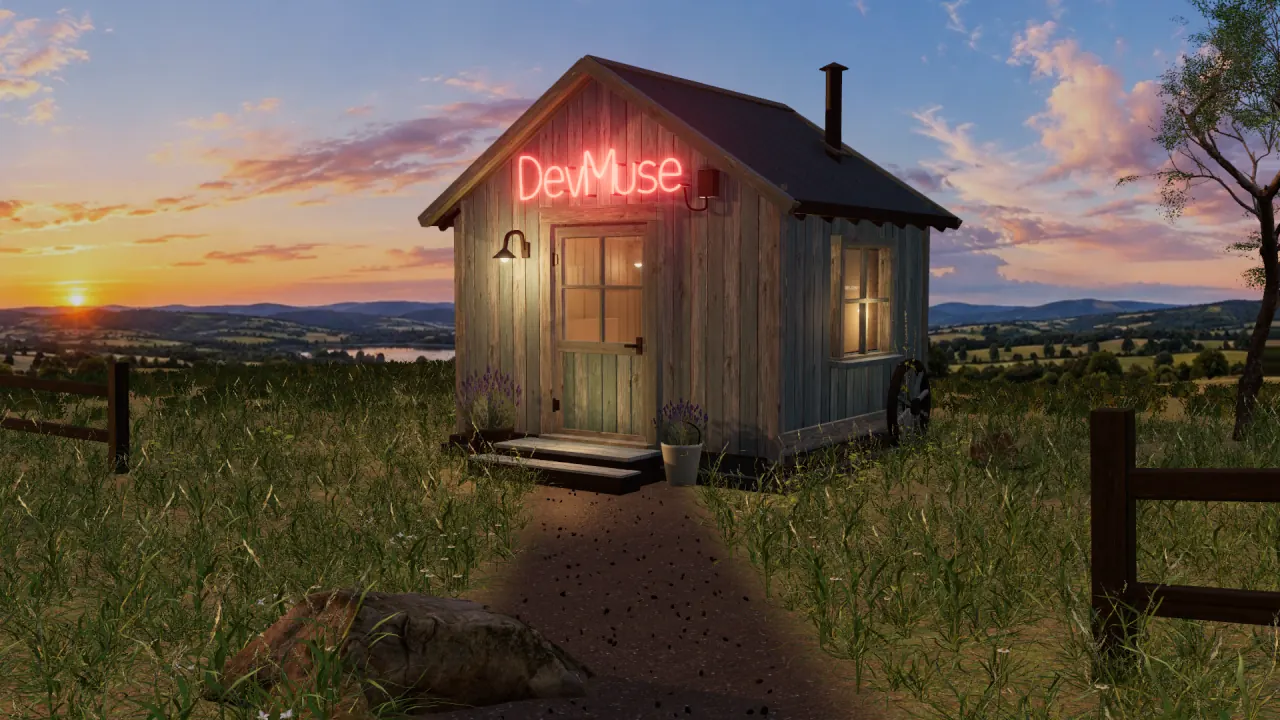
A small shack.
An entire
world inside.
The DevMuse Facility is an interactive 3D experience built for the browser with Three.js. Detailed environments, cinematic movement, working exhibits and responsive sound give visitors a different way to explore what we make.
Enter the FacilityRuns in your browser. Sound optional.
- Project
- DevMuse’s own interactive showcase
- Our role
- Concept, art direction & development
- Built with
- Three.js, JavaScript & Web Audio
Give curiosity somewhere to go.
The entrance is deliberately modest: a small shack, a sputtering neon sign and warm light through the windows. The first few moments establish a place you want to enter.
Once inside, a cinematic lift takes you down to the Facility. A closed arrival room holds back the view until you start the machinery and step through the shutter. Then the scale becomes clear.
From there, you can walk between departments, explore the exhibits and follow a build through production. Websites, tools and systems become things to discover in a working space.
A place with its own character.
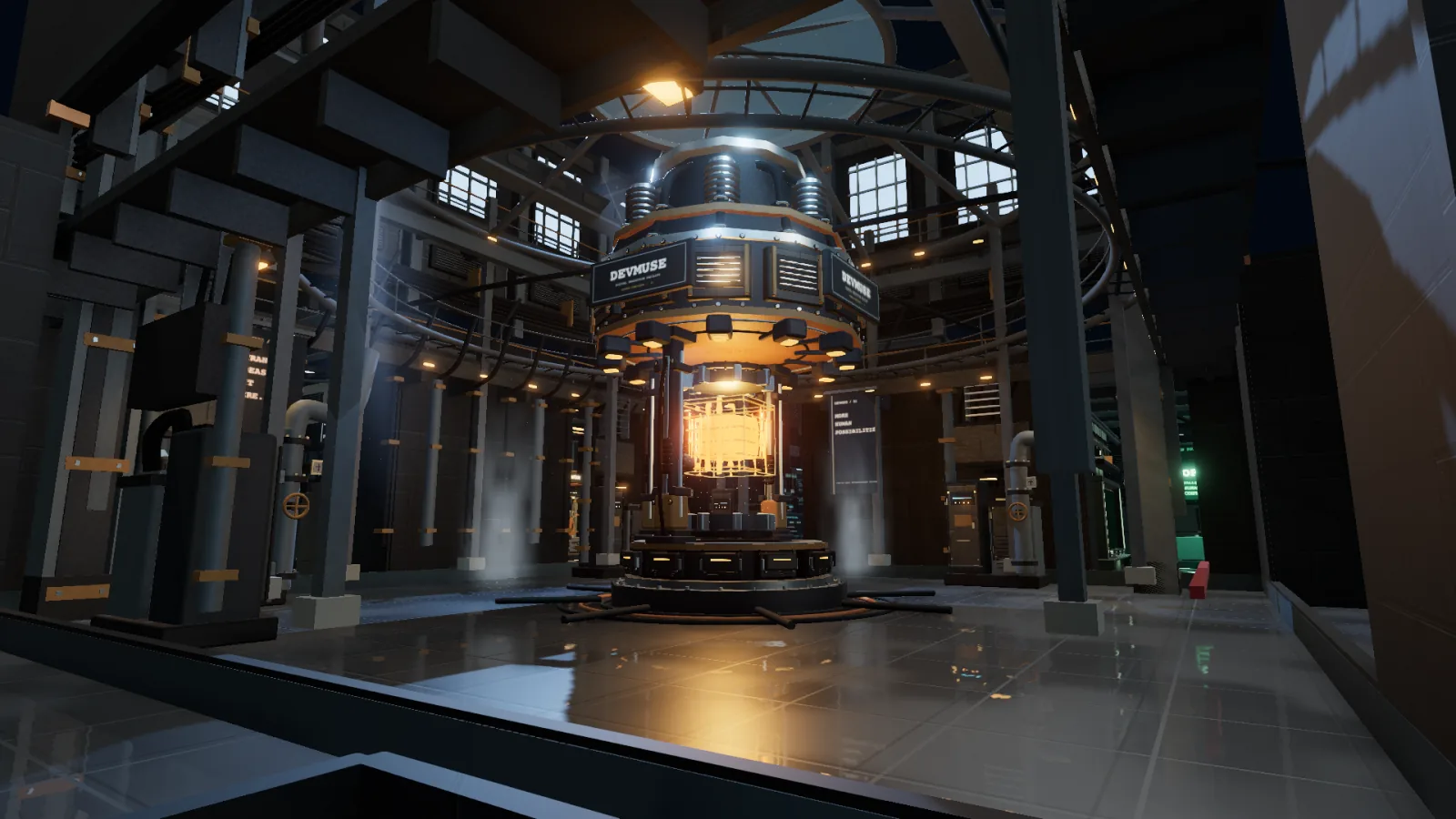
Weathered timber, corrugated roofing, neon tubing and planting give the entrance its detail. Below ground, layered steelwork, service walkways, pipes and moving mechanisms establish a different world.
Lighting does much of the storytelling: a warm welcome outside, a contained descent, then the cool industrial space around an amber core. Camera movement and the timing of doors and shutters control what you see, and when.
Sound follows the action. The Web Audio API creates mechanical cues, soft musical tones and a restrained drone. In the Lab, a playable sequencer connects rhythm with the building’s lights. Visitors can switch sound off throughout.
03 / The engineering
Three.js development,
from scene to experience.
Building the world is part of the job. Making it respond, load and remain usable in a browser takes another set of decisions.
- Rendering & materials
- Three.js renders the 3D scenes through WebGL. Textured materials, shadows, reflections and post-processing establish depth, surface detail and atmosphere.
- Movement & interaction
- A scripted camera handles the opening journey. Inside, visitors move freely, encounter working controls and follow machinery that responds to the production state.
- Loading & performance
- Compressed models and WebP textures reduce downloads. Repeated objects share geometry through instancing, while graphics profiles adjust rendering work. The loading screen reports actual preparation progress.
- Different ways to visit
- Mouse and keyboard controls sit alongside touch controls. Reduced-motion options shorten the introduction and soften effects. Browser testing shaped specific rendering choices, including the exterior foliage in Firefox.
An experience with a purpose.
The Facility is our own studio project. It demonstrates how we combine visual direction, 3D development, interaction and sound in a complete browser experience.
The same skills can serve a different brief:
- Product demonstrationsLet people inspect a product, explore its parts or understand how it works.
- Virtual exhibitionsGive a collection, archive or body of work a space visitors can explore.
- Interactive brand experiencesBuild a distinctive setting for a launch, campaign or story, with a clear route to the next action.
The right approach starts with your audience and what you want them to understand or do. That shapes the detail, interaction and technical work.
From an idea to something you can enter
What could your world look like?
Bring us the product, collection or story. We’ll work out what an interactive experience could do for it.